
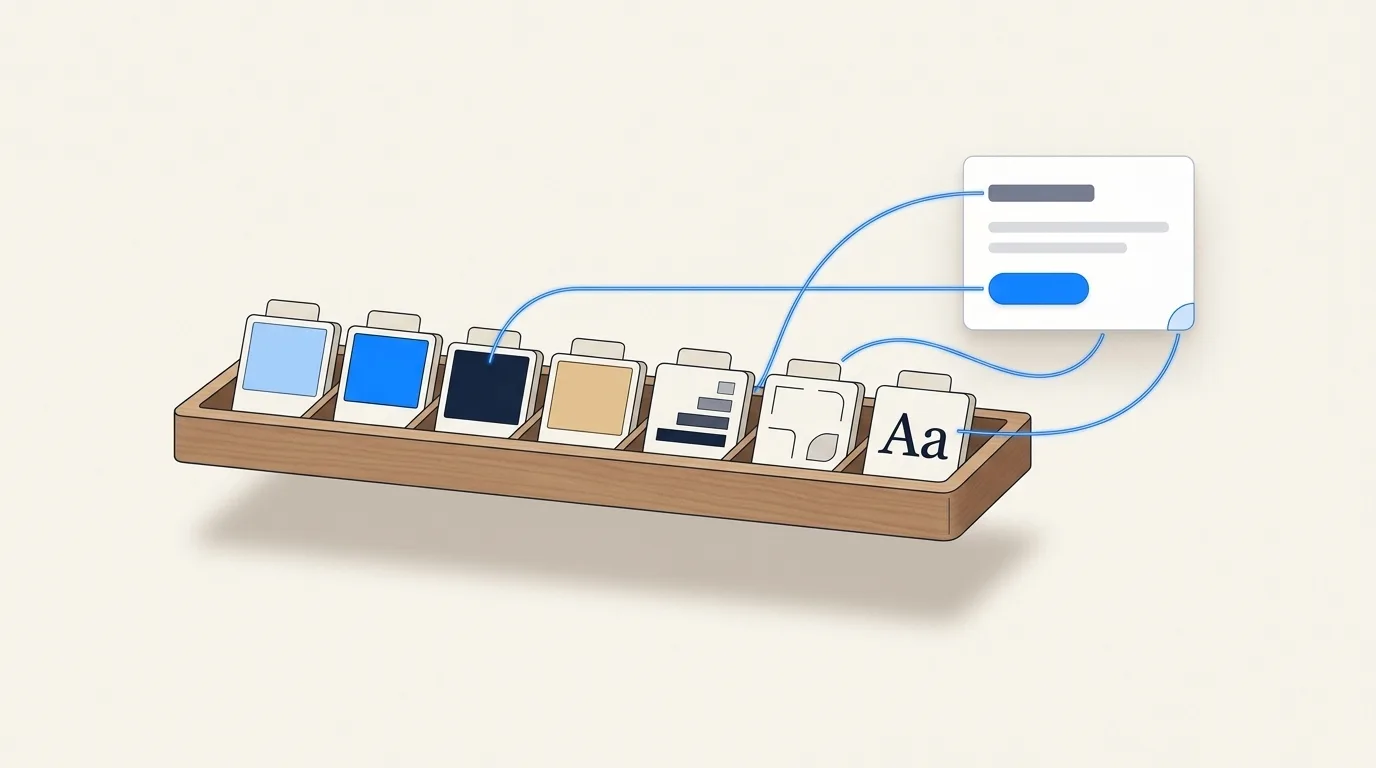
The definition, from the people who wrote it
The term came out of Salesforce’s Lightning Design System, where Jina Anne and Jon Levine are credited with coining it. Their own page describes tokens as “the visual design atoms of the design system — specifically, they are named entities that store visual design attributes,” used in place of hard-coded hex values and pixel sizes.
Adobe’s Spectrum puts it in one line: tokens are “a methodology for expressing reusable design decisions as structured data.” And the W3C Design Tokens Community Group, which maintains the shared file format, keeps it minimal: a token is “information associated with a human readable name, at minimum a name/value pair.”
The useful word in all three is decision. A token is not just a value. It records that someone decided the primary colour is this blue, that the gap between cards is 16 pixels, that buttons have an 8 pixel radius, and it gives that decision a name the rest of the system can point at.
Why bother
Because a value with a name can change in one place. If #0066cc is typed into
forty components, a rebrand is forty edits and a search for near-misses like
#0067cc. If those forty components say color.primary, it is one edit.
Names also carry intent, which raw values cannot. 16px tells you nothing about
when to use it. space.card-gap does. That matters more than it used to, because the
thing reading your code is increasingly an AI agent, and an agent given a list of named
decisions makes fewer guesses than one given a pile of hex codes.
And tokens are platform-neutral data, so the same decisions can be turned into CSS variables for the web, Swift constants for iOS and XML resources for Android from one source.
Primitive, semantic, component
Most systems arrange tokens in three tiers. The names differ, the idea does not.
| Tier | What it holds | Example |
|---|---|---|
| Primitive | The raw palette. Every available value, with no opinion about where it goes. | color.blue.600 = #0066cc |
| Semantic | Purpose. Points at a primitive and says what it is for. | color.action.primary = {color.blue.600} |
| Component | One component’s use of a semantic token. | button.background = {color.action.primary} |
Spectrum calls the first tier primitive tokens that “communicate little or no information about how those values should be used,” and the second semantic tokens that “communicate purpose.” Material Design 3 uses reference, system and component tokens for the same three layers. Nathan Curtis’s Naming Tokens in Design Systems is the standard reference for the naming itself, and has one piece of advice worth repeating: start a token inside a component, and promote it to a shared tier once several components need it.
The semantic tier is the one that pays off. Dark mode, a second brand, a high-contrast theme: each is a different mapping from semantic names to primitives, while the components never change.
The format: DTCG 2025.10
For years every tool had its own token JSON. On 28 October 2025 the W3C Design Tokens Community Group published the first stable version of its specification, 2025.10. It is a Community Group report rather than a formal W3C standard, but it is the format Style Dictionary, Tokens Studio and Terrazzo implement, and the one Figma can import.
The basics:
- Files use
.tokensor.tokens.json. - A token is an object with a
$value.$type,$descriptionand$deprecatedare optional, and$typecan be set once on a group and inherited. - An alias is a reference in braces:
"{color.blue-600}". - Simple types are
color,dimension,fontFamily,fontWeight,duration,cubicBezierandnumber. Composite types arestrokeStyle,border,transition,shadow,gradientandtypography.
One thing catches people coming from older formats: in 2025.10 a colour is an object with a colour space, not a hex string, and a dimension is a value with a unit.
{
  "color": {
    "$type": "color",
    "blue-600": {
      "$value": { "colorSpace": "srgb", "components": [0, 0.4, 0.8], "hex": "#0066cc" }
    },
    "primary": {
      "$value": "{color.blue-600}",
      "$description": "Main action colour"
    }
  },
  "space": {
    "$type": "dimension",
    "4": { "$value": { "value": 16, "unit": "px" } }
  },
  "radius": {
    "md": { "$type": "dimension", "$value": { "value": 0.5, "unit": "rem" } }
  }
}
Tokens vs CSS variables
They are not the same thing, and the difference is where each one lives. Penpot’s developer guide puts it well: “Design tokens define what the design values are and their semantic meaning. CSS variables determine how these values are implemented in the browser.”
The token file above becomes this on the web:
:root {
  --color-blue-600: #0066cc;
  --color-primary: var(--color-blue-600);
  --space-4: 16px;
  --radius-md: 0.5rem;
}
Custom properties are one output of a token. The token is the source; the variable is what the browser sees.
Where tokens live in real tools
Tailwind CSS v4
Tailwind now says this outright: “These low-level design decisions are often called design tokens, and in Tailwind projects you store those values in theme variables.”
You declare them with @theme, and each one both becomes a CSS variable and decides
which utility classes exist:
@theme {
  --color-brand-600: #0066cc;
}
/* now bg-brand-600 and text-brand-600 exist,
   and var(--color-brand-600) is available everywhere */
The flip side is easy to miss: if an agent writes text-brand-950 and there is no
--color-brand-950 in a theme, Tailwind generates nothing for it. The class looks
right in the diff and does nothing on the page.
Style Dictionary
Style Dictionary turns one token source into CSS, JavaScript, iOS and Android output. It has supported the DTCG format since version 4; its own docs note that full support for 2025.10 is still in progress in version 5.
Figma Variables and Tokens Studio
Figma’s variables are its built-in store for these values, and its help centre documents exporting modes to JSON and importing DTCG tokens. Tokens Studio, the long-running Figma plugin, can switch between its own legacy format and DTCG.
Penpot
The open-source design tool added native tokens in 2025, built with Tokens Studio. Users have pointed out that its export is Tokens Studio’s multi-set format rather than 2025.10, so check before wiring it into a pipeline that expects the spec.
Tokens and AI coding agents
Here is the problem in one sentence: an agent told to “build me a card” that has to
choose to look up your spacing scale usually won’t, and fills the gap from its
training data. You get p-5 where your system says 16, and a blue that is close to
yours but not yours.
Two things help. The first is putting the tokens where the agent reads before its first turn. Every mainstream coding agent loads a rules file automatically:
- Claude Code loads
CLAUDE.mdat the start of every session, and its docs note that “the more specific and concise your instructions, the more consistently Claude follows them.” - Cursor applies
.mdcfiles in.cursor/rules/, and a rule withalwaysApply: trueis included in every request. A plain.mdfile in that folder is ignored. - Codex and many others read
AGENTS.md, an open format described as a README for agents.
A rules file is context, not enforcement, and it goes stale the moment a token changes. The second thing that helps is the codebase itself. Builder.io’s write-up on this has the line worth remembering: “Your codebase is your prompt.” An agent copies the patterns it sees, so code that already uses tokens everywhere teaches it to do the same, and a linter that rejects raw hex values closes the loop.
How Caret handles it
Caret is a free, open-source desktop app that keeps a project’s design in the repo as
real React, in a .caret/ folder beside your app. Its foundation tokens (colour,
type, spacing, radius) live in .caret/tokens/foundation.json, in Caret’s own
shape rather than DTCG. From there it does three things:
- It generates Tailwind v4
@themevariables from them, so a class likebg-brand-500actually resolves on the canvas. - It writes them into
AGENTS.md,CLAUDE.mdand.cursor/rules/caret-design-layer.mdc(withalwaysApply: true), inside a marked block, and rewrites that block on every token change. Anything you wrote outside the block is left alone. - When you pick a colour on the canvas, it checks the pick against your tokens and writes the token instead of a hex code when one is close.
Questions
-
Are design tokens the same as Figma variables?
Figma variables are one place to store tokens. The token is the decision and its name; a Figma variable, a CSS custom property or a Tailwind theme variable is where that decision is kept or how it is delivered.
-
Is DTCG a W3C standard?
Not formally. 2025.10 is a Final Community Group Report from a W3C community group. In practice it is the shared format the major token tools have converged on.
-
How many tokens should a small project have?
Fewer than you think. A brand colour with a scale, a neutral scale, a handful of semantic colours, one spacing scale, one type scale and four or five radii cover most products. Add a token when the same decision shows up in a third place, not before.
-
Do I need a token pipeline to start?
No. A single CSS file of custom properties, or a Tailwind
@themeblock, is a token system. Reach for Style Dictionary when you need the same decisions on more than one platform.